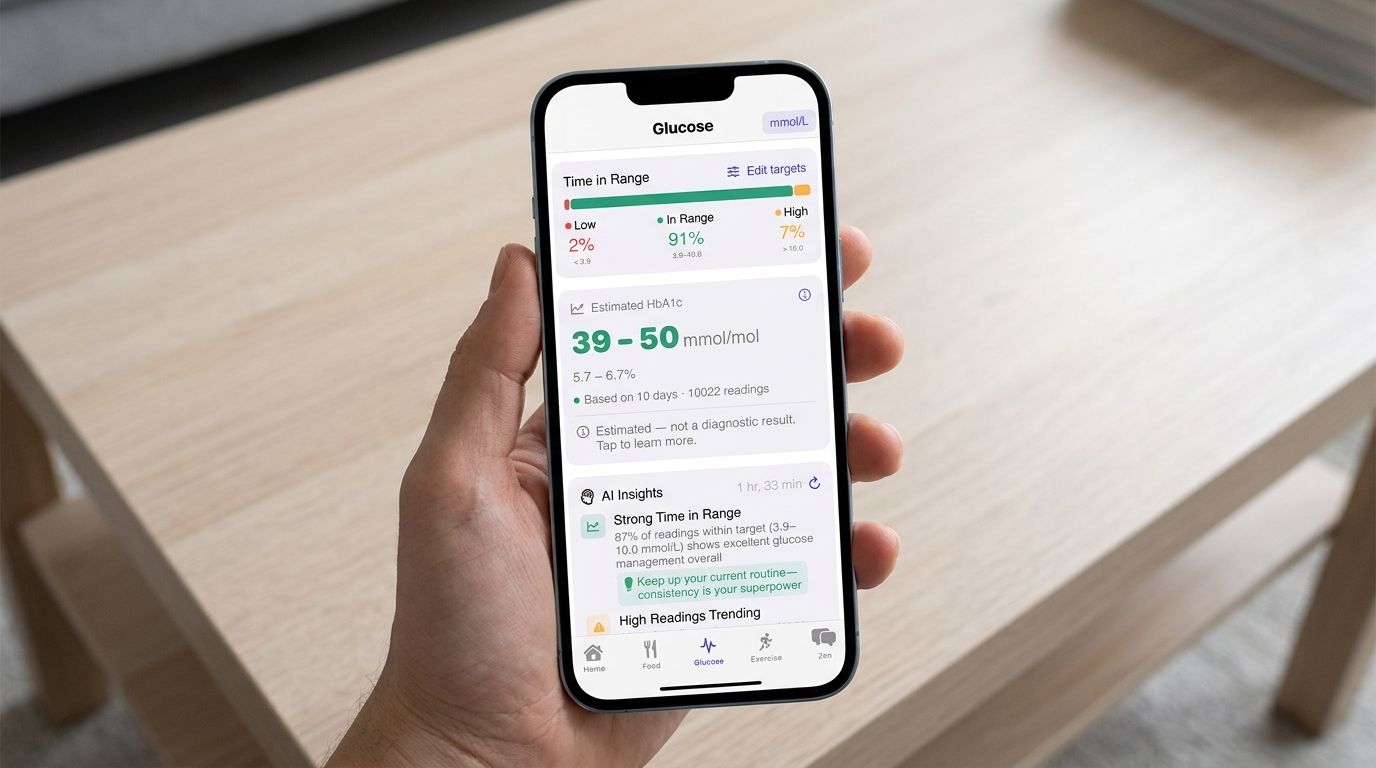
If you have diabetes, there's a good chance your phone already has more than one app trying to help you manage it - one tied to your meter or CGM, one for food logging, maybe one you downloaded once and never opened again. It's a crowded category, and most "best diabetes apps" lists either read like a sponsored top ten or go negative on the competition without much basis.
This is neither. Here's an honest look at what the apps people actually recommend are genuinely good at, where each one falls short, and why we built GlyBeat to bring it together in one place rather than add a ninth option to the pile.
What to actually look for in a diabetes app
A few questions cut through most of the marketing noise:
- Does it work with your specific meter or CGM, or any device you might switch to later?
- Does it just log numbers, or help you understand what they mean?
- What's actually free, and what sits behind a paywall?
- Does it do anything beyond glucose - food, exercise, medication, finding care?
mySugr - the most recommended all-rounder
mySugr shows up on more "best diabetes app" lists than almost anything else, and it earns the spot. It's known for an easy, well-reviewed logging experience and a playful, gamified take on tracking that makes the daily grind of logging feel less like homework. It supports CGM syncing and photo-based meal logging, and it has a genuine free tier.
Where it stops: mySugr is built around logging and tracking. It doesn't offer AI-generated meal plans, exercise planning tied to your glucose data, or a conversational assistant you can ask questions to - it's a tool you use to record and review, not one that actively works something out for you.
OneTouch Reveal - best if you already use OneTouch meters
OneTouch Reveal is free and produces genuinely useful pattern reports from your readings, which is valuable if you're already testing with a OneTouch meter. The trade-off is built into the name: it's made by LifeScan for LifeScan hardware, so it isn't a realistic option if you use a different meter or a CGM from another manufacturer.
FreeStyle LibreLink - the default if you're on a Libre sensor
If you wear a FreeStyle Libre sensor, LibreLink is the natural home for your readings, and Abbott added AI-powered food photo analysis to it in late 2025, which is a genuinely useful addition. The limitation is the same shape as OneTouch Reveal's: it's built for Abbott's own hardware, and it isn't a broader management app - there's no exercise planner, meal planning, or community feature built in.
Glucose Buddy - strongest for spotting patterns in your numbers
Glucose Buddy has been a mainstay in this category for over a decade, and it's consistently recommended for one thing in particular: turning a long list of readings into a trend report that actually surfaces a pattern. It syncs with Dexcom. Its interface shows its age compared with newer apps, and like mySugr, it doesn't have a conversational AI layer.
Carb Manager and Fooducate - good if nutrition is your main focus
These two are worth a mention because they solve a real, narrower problem well: detailed food and carb tracking, with nutrition databases that go deeper than most glucose-first apps bother with. If counting carbs accurately is your main pain point, either is a reasonable pick. Neither is built to handle glucose tracking, medication reminders or exercise planning - they're nutrition apps that some people use alongside a separate glucose app.
Where GlyBeat fits in
Look back at that list and a pattern shows up: most people end up running two or three of these apps side by side, because none of them covers the whole picture on its own. That's the actual problem GlyBeat was built to solve.
GlyBeat reads glucose data through Apple HealthKit, which means it isn't locked to one sensor or meter brand the way OneTouch Reveal and LibreLink are - it works whether you're on Libre, Dexcom, Medtronic or manual entries. On top of that, it adds the layer none of the apps above have at all: Zen, a persistent AI companion that remembers your patterns, medications and goals across every session and can take action in the app on your behalf, and Sage, a research-focused AI that answers evidence-based questions with sources. Add AI meal planning built from your own food log and glucose patterns, exercise planning tied to your actual readings, HbA1c estimation that shows which meals pulled the number in which direction, and a specialist finder for when a question needs a real clinician - and it's less a glucose app with extra features than a replacement for the five apps you were juggling.
Quick side-by-side
- Works with any CGM or meter, not just one brand: GlyBeat (via HealthKit), mySugr, Glucose Buddy. Not OneTouch Reveal or LibreLink, which are tied to their own hardware.
- Persistent AI companion with memory across sessions: GlyBeat only.
- AI meal planning built from your own data: GlyBeat only.
- Exercise planning tied to your glucose patterns: GlyBeat only.
- Specialist or GP finder built in: GlyBeat only.
- AI food photo analysis: GlyBeat and LibreLink (Abbott devices only).